That sinking feeling in your stomach when you walk back to your car and find a fresh new dent in the door is something no driver wants to experience. The worst part? The note under the wiper blade you were hoping for is nowhere to be found. It’s a classic hit-and-run, and you’re left to deal with the headache and the bill. But what if you had an impartial witness that saw everything? That’s exactly where finding the Best Dash Cam With Parking Mode comes in, transforming your vehicle from a sitting duck into a guarded fortress, 24/7.
Having a dash cam is like having a silent co-pilot on every drive. It records everything in front of you (and sometimes behind you), providing irrefutable evidence in an accident. But what happens when the engine is off? Your car spends most of its life parked and vulnerable—in crowded parking lots, on the street overnight, or at the airport. This is where a standard dash cam falls short and a dedicated parking mode becomes your most valuable asset. It’s the feature that stands guard when you can’t.
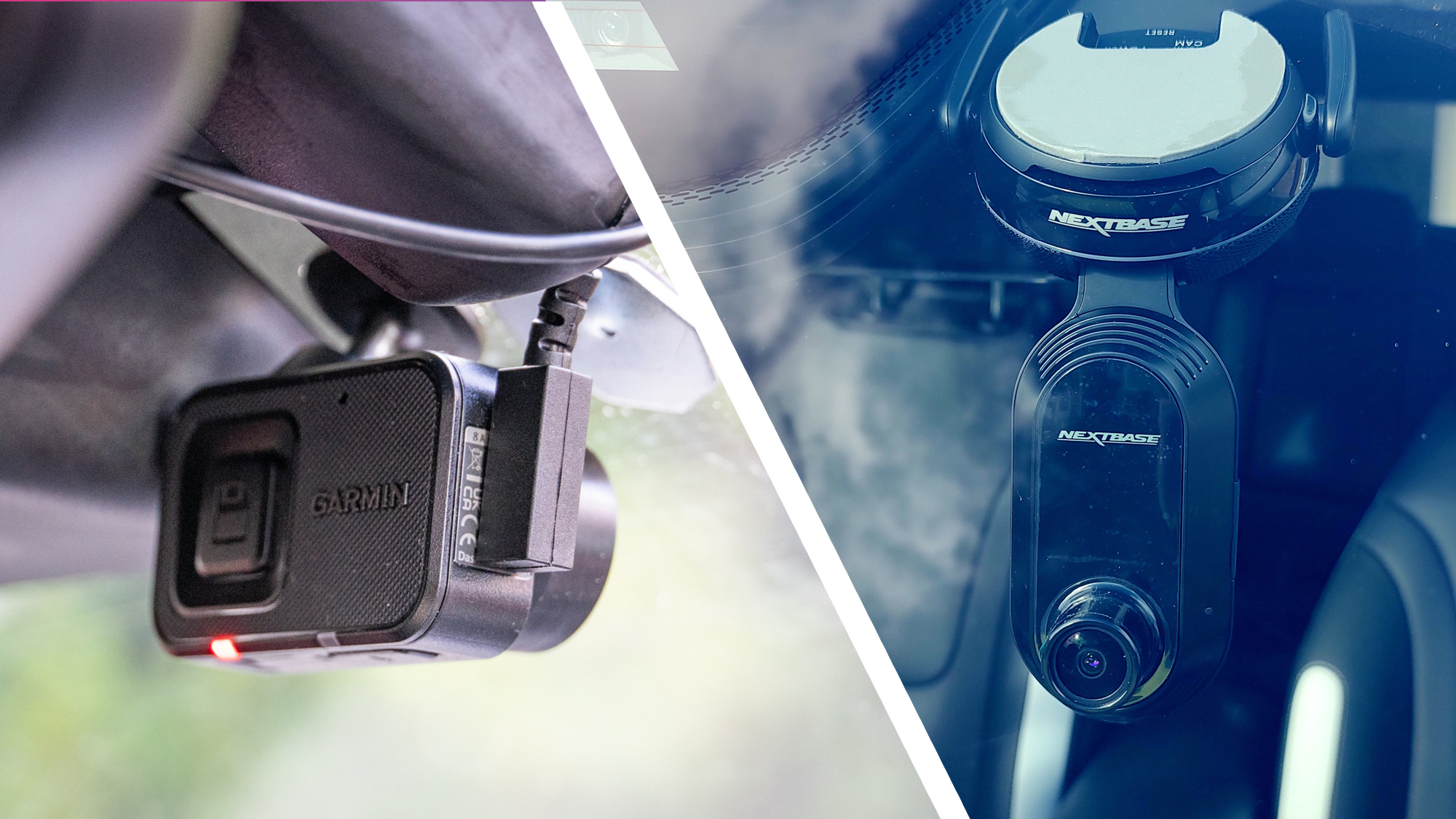
Why Parking Mode Isn’t Just a “Nice-to-Have”
Think of parking mode as your car’s personal security detail. When you lock up and walk away, it takes over, watching for any trouble. It’s a game-changer for your peace of mind and your wallet. Let’s break down why this feature is absolutely essential.
- Catching Hit-and-Run Drivers: This is the big one. A G-sensor-triggered recording will capture the impact and, hopefully, the license plate of the vehicle that hit yours. This video clip is the golden ticket your insurance company needs.
- Deterring Vandalism and Theft: Many dash cams have a small, blinking LED light when in parking mode. This simple visual cue can be enough to make a potential thief or vandal think twice and move on to an easier target.
- Providing Evidence for Parking Lot Scrapes: Did someone swing their door into yours? Did a shopping cart roll into your bumper? Parking mode captures these frustrating little incidents that can otherwise turn into a “he said, she said” dispute.
- Peace of Mind: Knowing your car is being monitored around the clock is invaluable. Whether you’re at work, at home, or on vacation, you can rest easier knowing any incident will be recorded.
What Makes the Best Dash Cam with Parking Mode?
Not all parking modes are created equal. The market is flooded with options, but a few key features separate the truly great from the merely good. When you’re shopping for the best dash cam with parking mode, these are the non-negotiables you need to look for.
Buffered (Pre-buffered) Recording: The Gold Standard
Imagine a recording that only starts after your car has been hit. You might see the other car driving away, but you’ve missed the crucial moment of impact. This is a common flaw in basic motion-detection systems.
Buffered parking mode is the solution. The camera is constantly recording to a small, temporary memory buffer. When the G-sensor detects an impact, it saves the clip including the 5-15 seconds before the event occurred. This gives you the full story, not just the aftermath. It’s the single most important feature for effective parking surveillance.
Power Source: The Heart of Parking Surveillance
To work when your car is off, a dash cam needs a constant power source. You can’t just leave it plugged into a cigarette lighter that switches off with the ignition. This is where a proper power solution comes in.
- Hardwire Kit: This is the most popular and reliable method. The kit connects your dash cam directly to your car’s fuse box. A good hardwire kit includes a crucial voltage cut-off feature. It constantly monitors your car battery’s voltage and will automatically shut down the dash cam if the voltage drops to a certain level (e.g., 12V), ensuring you always have enough power to start your engine.
- OBD-II Power Cable: A simpler alternative to hardwiring. This cable plugs directly into your car’s On-Board Diagnostics (OBD-II) port, which usually has constant power. It’s essentially “plug-and-play” hardwiring, but make sure your vehicle’s port is compatible and provides constant power.
- External Dash Cam Battery Pack: For those who want the ultimate protection without touching the car’s battery at all, an external battery pack is the answer. It charges while you drive and then powers the dash cam exclusively when the car is parked. This provides the longest recording times and zero risk of draining your car’s battery.
Important Note: Professional installation of a hardwire kit is recommended if you are not comfortable working with your vehicle’s electrical system. Incorrectly tapping a fuse can lead to electrical issues or even void your car’s warranty.
G-Sensor Sensitivity and Motion Detection
These are the triggers that tell your dash cam to wake up and save a recording.
- G-Sensor (Accelerometer): This sensor detects physical impacts, from a major collision to a minor bump in a parking lot. The best dash cam with parking mode will allow you to adjust the sensitivity. In a busy city, you might want a lower sensitivity to avoid false alarms from doors slamming nearby, while in a quiet garage, a higher sensitivity is better.
- Motion Detection: This uses the camera’s lens to detect movement in its field of view. It’s great for catching someone lurking around your vehicle before they act. Some advanced systems combine both, using motion detection to trigger buffered recording and a G-sensor to lock the file as an emergency event.
Video Quality and Low-Light Performance
A video clip is useless if you can’t make out the details. Crystal-clear resolution is important, but it’s not the only factor.
- Resolution: Full HD (1080p) is the absolute minimum. 2K (1440p) or 4K (2160p) provide even more detail, which can be critical for reading a license plate from a distance.
- Image Sensor: A high-quality image sensor, like the Sony STARVIS, is designed for excellent low-light performance. This is crucial, as many parking incidents happen at night.
- Wide Dynamic Range (WDR): This technology helps balance the light and dark areas in a scene, preventing license plates from being washed out by headlights at night or being lost in deep shadows during the day.
As our go-to automotive technology expert, John Carter, often says, “Don’t just look at resolution; a high-quality sensor for low-light performance is often more crucial for real-world evidence. A blurry 4K video is less useful than a sharp 1080p clip where you can read the plate.”
How Do You Install a Dash Cam for Parking Mode?
Setting up your dash cam for parking mode is straightforward if you follow the steps. Here’s a basic guide, assuming you’re using a hardwire kit.
- Choose the Mounting Location: Place the dash cam behind your rearview mirror. This spot is out of your direct line of sight and provides the best vantage point of the road. Clean the windshield thoroughly before attaching the adhesive mount.
- Route the Power Cable: Gently tuck the power cable into the headliner, running it across the passenger side and down the A-pillar. Be careful to route the wire away from any airbags. Most A-pillar covers can be gently pried open to hide the cable behind them.
- Connect the Hardwire Kit: This is the most technical step. The kit will have three wires: a constant power wire (ACC+), an ignition-switched wire (ACC), and a ground wire (GND).
- Find your car’s interior fuse box (often under the dashboard or in the glove compartment).
- Use a circuit tester to identify a constant fuse (always has power) and a switched fuse (only has power when the car is on).
- Connect the corresponding wires from the hardwire kit using fuse taps.
- Attach the ground wire to a metal bolt or screw connected to the vehicle’s chassis.
- Test the System: Plug the cable into your dash cam. It should power on when you start the car. When you turn the car off, it should enter parking mode after a few seconds.
The Legal Side: What You Need to Know
Dash cams are legal in most places, but the rules can vary, especially concerning audio recording and privacy.
- Informing Passengers: In many states and countries, you are legally required to inform passengers if you are recording audio. It’s often best practice to simply disable audio recording unless you specifically need it.
- Privacy Expectations: Be mindful of where you park. While recording in a public parking lot is generally acceptable, pointing a camera at someone’s private residence for an extended period could be problematic.
- Local Laws: Some countries, like Austria and Portugal, have strict restrictions on dash cam use. Always check your local and state laws to ensure you are compliant.
Keeping Your Silent Witness Reliable: Maintenance Tips
Your dash cam is a “set it and forget it” device for the most part, but a little maintenance goes a long way.
- Format the SD Card: To keep it running smoothly and prevent file corruption, format your memory card in the dash cam itself about once a month.
- Use a High-Endurance SD Card: Constant recording, especially in parking mode, is tough on memory cards. A “high-endurance” card is specifically designed for this heavy workload and will last much longer.
- Check the Lens: Give the lens a quick wipe with a microfiber cloth every so often to ensure a clear view.
- Update the Firmware: Manufacturers occasionally release firmware updates to improve performance or add features. Check their website periodically.
In the end, choosing the best dash cam with parking mode is an investment in security and peace of mind. It’s the silent witness that works tirelessly to protect your vehicle when you’re not around. From preventing you from being a victim of a hit-and-run to deterring potential criminals, its value far exceeds its cost. Don’t wait until you need the footage to wish you had it. Invest in your safety today.