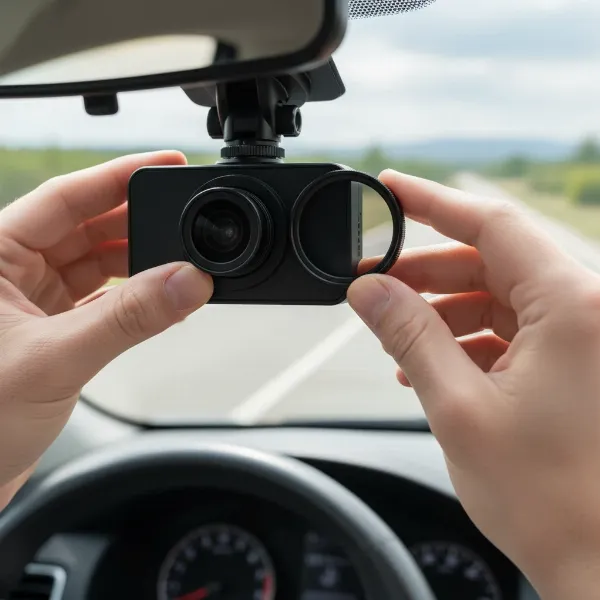
Imagine returning to your parked car only to discover an unsightly dent, a suspicious scratch, or even worse, evidence of a hit-and-run, with no witness in sight. While your dash cam offers invaluable protection on the road, its capabilities often diminish once your engine is off. This is where hardwiring a dash cam to a dedicated backup battery pack becomes a game-changer, providing continuous parking surveillance without compromising your vehicle’s starting power. This comprehensive guide will walk you through the process, ensuring your dash cam remains vigilant even when you’re away.
The Unseen Guardian: Why a Backup Battery Pack Elevates Your Dash Cam’s Protection
For many drivers, a dash cam’s primary role is clear: to record incidents while driving. However, a significant number of accidents and vandalism occur while vehicles are parked and unattended. Standard dash cam installations typically draw power from the car’s 12V cigarette lighter socket, which often deactivates when the ignition is turned off. Even hardwiring directly to the car’s battery for parking mode can lead to issues, as it slowly drains your vehicle’s main power source, potentially leaving you stranded with a dead battery.
Protecting Your Vehicle: The Core Benefits of a Dash Cam Backup Battery
|
Our Picks for the Best Dash Cam in 2026
As an Amazon Associate I earn from qualifying purchases.
|
||
| Num | Product | Action |
|---|---|---|
| 1 | REDTIGER 4K Dash Cam Front Rear, STARVIS 2 Sensor, Free Card Included, 5.8GHz WiFi-20MB/s Fast Download, Dash Camera for Cars with GPS, WDR Night Vision, 170°Wide Angle, 24H Parking Mode(F7NP) |

|
| 2 | Garmin Dash Cam™ Mini 3, Ultracompact 1080p HD Dash Cam with a 140-degree Field of View, Built in Clarity™ Polarizer, Voice Controlled, Automatic Recording |
|
| 3 | ROVE R2-4K DUAL Dash Cam Front and Rear, STARVIS 2 Sensor, FREE 128GB Card Included, 5G WiFi - up to 20MB/s Fastest Download Speed with App, 4K 2160P/FHD Dash Camera for Cars, 3" IPS, 24H Parking Mode |
|
| 4 | 4K+4K Dash Cam Front and Rear, Free 128GB Card Included, 5.8GHz WiFi Dash Camera for Cars, Built-in GPS, G-Sensor, 170°Wide Angle, 3" IPS Screen, 24H Parking Mode, Support 512GB Max |
|
| 5 | Dual 4K Dash Cam Front and Rear - Free 64G SD Card, 2160P+2160P UHD Dash Camera for Cars, Dashcam with 176°+160° Wide Angle, 3.5'' IPS Screen Dashcam, G-Sensor, WDR, Night Vision, 24H Parking Monitor |
|
| 6 | Dash Cam Front and Rear, 2.5K Dual Dash Camera for Cars, 2560P Mini Car Camera, 2 inch IPS Screen, 32GB Card Included, WDR Night Vision, 24 Hours Parking Monitor, G-Sensor, Support 256 GB Max |
|
| 7 | 4K Dash Cam Front, Built-in 5G WiFi, 64GB Card Included, Dash Camera for Cars, Mini Dashcam with Super Night Vision, Loop Recording, G-Sensor, 24 Hours Parking Monitor, Support 256GB Max |
|
| 8 | WOLFBOX G840S 12" 4K Mirror Dash Cam Backup Camera, 5.8GHz WiFi Smart Rearview Mirror for Cars & Trucks, Front and Rear View Dual Cameras, Night Vision, Parking Assistance, Included 32GB Card & GPS |
|
| 9 | VIOFO A229 Plus Dash Cam Front and Rear, Dual STARVIS 2 Sensors, 2 Channel HDR, 1440P+1440P Voice Control Car Dash Camera, 5GHz Wi-Fi, Voice Control, Ultra-Precise GPS |
|
| 10 | Dash Cam Front and Rear, 1080P Dash Camera for Cars, 3 Channel Car Camera Front Rear and Inside with 32GB Card, Loop Recording, Night Vision, HDR, 24Hr Parking, G-Sensor |
|
A dedicated backup battery pack fundamentally transforms your dash cam’s parking mode capabilities. Unlike relying solely on your car’s battery, an external battery provides an independent power source for your dash cam. This setup ensures extended recording times—often 24 to 48 hours or more—for parking surveillance, offering peace of mind against potential incidents. It also safeguards your car’s primary battery from depletion, guaranteeing that your vehicle will start reliably every time. Furthermore, these specialized battery packs are designed for continuous power delivery while simultaneously charging, a crucial distinction from generic USB power banks which aren’t built for the constant demands of a dash cam. [cite: 5 from ‘best backup battery’ search]
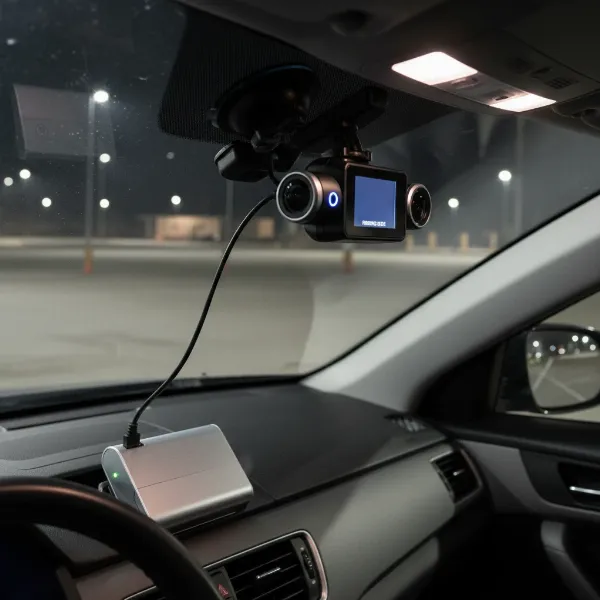 Dash cam connected to backup battery pack provides continuous parking surveillance and car battery protection.
Understanding the Power Dynamics: Hardwiring Kits and Battery Packs
To successfully integrate a dash cam with a backup battery pack, it’s essential to understand the roles of hardwire kits and how they interact with both your vehicle’s electrical system and the external battery.
Demystifying Dash Cam Power: Hardwire Kits vs. External Batteries
A traditional dash cam hardwire kit usually features three wires: a constant power (B+) wire, an ignition-switched (ACC) wire, and a ground wire. The B+ wire draws power directly from the car battery, enabling parking mode, while the ACC wire detects when the engine is on or off, switching the dash cam between driving and parking modes. The ground wire completes the circuit.
When hardwiring a dash cam to a backup battery pack, the setup changes. Instead of powering the dash cam directly from the car’s constant fuse, the hardwire kit primarily serves to charge the backup battery pack while the vehicle is running. This typically involves connecting the hardwire kit’s ACC and ground wires to the car’s fuse box. The backup battery pack then takes over, supplying consistent, dedicated power to the dash cam when the ignition is off, thus isolating the dash cam’s power needs from your car’s main battery. [cite: 1, 3 from ‘dash cam backup battery installation’]
Choosing Your Power Solution: Selecting the Right Battery Pack and Hardwire Kit
Selecting the appropriate components is crucial for a reliable and efficient setup. This involves carefully considering both the backup battery pack and the hardwire kit.
Essential Criteria for Dash Cam Backup Battery Packs
When choosing a backup battery pack, several factors come into play:
- Capacity & Longevity: Measured in milliampere-hours (mAh), capacity directly translates to how long your dash cam can record in parking mode. Look for packs offering 6000 mAh or more for extended surveillance, potentially lasting 24-48 hours.
- Technology & Safety: The safest and most durable battery packs utilize Lithium Iron Phosphate (LiFEPO4) technology. These batteries are known for their stability, longevity, and resistance to extreme temperatures, which is vital in a car environment. [cite: 5 from ‘best backup battery’ search]
- Compatibility: Ensure the battery pack’s output voltage and connector type match your dash cam’s power requirements. Many popular battery packs are designed to be universally compatible or have specific adapters for major dash cam brands like BlackVue, Thinkware, and VIOFO.
- Features: Some advanced battery packs offer Bluetooth connectivity, allowing you to monitor charging status, remaining battery life, and temperature via a smartphone app. [cite: 1 from ‘best backup battery’ search] Fast charging capabilities are also a plus.
Hardwire Kit Essentials
The hardwire kit acts as the bridge between your car and the battery pack. Key considerations include:
- Fuse Tap Types: Your car’s fuse box will use specific fuse types (e.g., ATO/ATC, Mini, Low Profile Mini, Micro2). Ensure your hardwire kit includes compatible fuse taps to connect safely and avoid electrical issues.
- Voltage Cut-off Protection: While the battery pack itself prevents car battery drain, a quality hardwire kit often includes built-in voltage cut-off protection as a secondary safeguard, ensuring your car’s battery doesn’t fall below a critical voltage.
- Wire Gauge and Length: Adequate wire gauge ensures efficient power transfer, and sufficient length allows for discreet routing of cables throughout your vehicle.
Step-by-Step Installation: Hardwiring to a Backup Battery Pack
Installing a dash cam backup battery pack can be a DIY project for those comfortable with basic car electronics, but professional installation is always recommended to ensure safety and optimal performance. [cite: 1 from ‘how to hardwire’ search]
Preparation: Tools and Pre-Installation Checks
Before you begin, gather the following tools:
- Multimeter (for identifying fuse types)
- Fuse tap kit
- Wire strippers and crimping tool
- Electrical tape and zip ties
- Trim removal tool (plastic pry tool)
- Flashlight
- Your dash cam, backup battery pack, and hardwire kit manuals.
Carefully read all manuals to understand the specific wiring and fuse requirements for your components and vehicle.
Locating Your Vehicle’s Fuse Box
Your car may have one or more fuse boxes, typically located under the steering wheel, in the glove compartment, or in the engine bay. Consult your vehicle’s owner’s manual to find the exact location and a diagram of the fuse layout. Choosing a fuse box closest to your dash cam installation point can simplify cable routing. [cite: 2 from ‘how to hardwire’ search]
Connecting the Hardwire Kit to Your Car’s Fuse Box (for Battery Pack Charging)
This step involves connecting the hardwire kit’s input to your car’s electrical system to charge the battery pack.
- Identify an ACC (Ignition-Switched) Fuse: Using your multimeter, test fuses in your fuse box to find one that only receives power when the ignition is on (ACC). This fuse will be used to tell the battery pack to charge while driving.
- Connect the ACC Wire: Insert the hardwire kit’s ACC (usually yellow) wire into an appropriate fuse tap. Then, insert the fuse tap into the chosen ACC fuse slot. Ensure the original fuse and a new fuse (matching the hardwire kit’s requirement, typically 2A-3A) are correctly placed in the fuse tap.
- Connect the Ground Wire: Locate a metal bolt or screw on the car’s chassis near the fuse box. Attach the hardwire kit’s ground wire (usually black, with a C-shaped ring terminal) securely to this point. Ensure it’s a solid metal-to-metal connection for effective grounding.
Note: For a backup battery pack installation, you typically only need the ACC and Ground connections from the car to charge the battery pack. The battery pack itself will provide constant power to the dash cam.
Integrating the Battery Pack and Dash Cam
- Connect Hardwire Kit to Battery Pack: Connect the output of your hardwire kit (which now has ACC and ground connected to the car) to the designated input port on your backup battery pack. This connection allows the battery pack to charge while your car is running.
- Connect Battery Pack to Dash Cam: Take the output cable from the backup battery pack and connect it to your dash cam’s power input. Verify that the connectors fit snugly and the voltage matches your dash cam’s requirements.
Cable Management and Placement
Once the connections are made, focus on routing and concealing the wires for a neat, safe, and professional look.
- Route Wires: Carefully tuck the cables along the headliner, down the A-pillar, under the dashboard, and along the door sills to the battery pack’s location. Use your trim removal tool to gently pry open panels as needed.
- Secure Wires: Use zip ties and electrical tape to secure any loose cables and prevent them from interfering with pedals or other vehicle operations. [cite: 2 from ‘how to hardwire’ search]
- Battery Pack Placement: Place the backup battery pack in a well-ventilated, discreet, and secure location, such as under the passenger seat, in the glove compartment, or in the boot. Ensure it’s not exposed to direct sunlight or extreme heat. [cite: 1, 2 from ‘dash cam backup battery installation’]
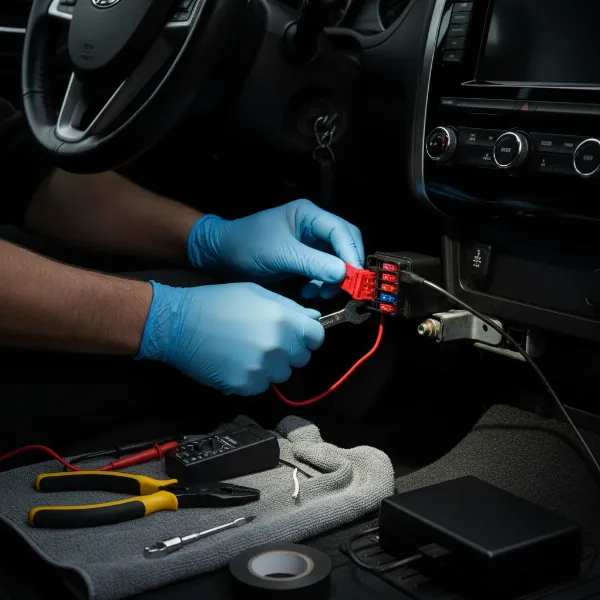 Hands connecting hardwire kit to car fuse box for dash cam backup battery charging.
Final Testing and Verification
After all connections are made and wires are routed, it’s time to test your setup:
- Start Your Vehicle: Turn on your car’s ignition. The backup battery pack should begin charging automatically. If your battery pack has an indicator light or an app, confirm it shows charging status.
- Test Dash Cam Operation: Ensure your dash cam powers on and records normally while driving.
- Test Parking Mode: Turn off your vehicle’s ignition. Your dash cam should automatically switch to parking mode, drawing power from the backup battery pack. Check for parking mode indicators on your dash cam or through its app. If everything works as expected, you’ve successfully hardwired your dash cam to a backup battery pack! [cite: 2 from ‘how to hardwire’ search]
Optimizing Your Setup: Tips for Performance and Longevity
To get the most out of your dash cam and backup battery system, consider these advanced tips:
- Monitor Battery Health: If your battery pack has a companion app, regularly check its charge cycles and overall health. Proper maintenance, like avoiding full discharge, can extend its lifespan.
- Environmental Factors: While LiFEPO4 batteries are robust, extreme heat or cold can still impact performance. Ensure the battery pack is in a location with good airflow and away from direct sun exposure.
- Troubleshooting: If your dash cam isn’t powering on in parking mode or the battery pack isn’t charging, double-check all connections, especially the fuse taps and ground wire. Verify the correct fuse slots were used.
- Professional Assistance: For complex vehicle electrical systems or if you’re unsure about any step, consulting a professional dash cam installer is highly recommended. They possess the expertise to ensure a safe and efficient setup, especially given the varying installation processes across different vehicle models. [cite: 1 from ‘how to hardwire’ search]
Comparison of Leading Dash Cam Backup Battery Packs
Choosing the right backup battery pack can significantly enhance your dash cam experience. Here’s a comparison of some top contenders:
| Model | Capacity (mAh) | Key Features | Pros | Cons |
|---|---|---|---|---|
| BlackboxMyCar Powercell 8 | 7500 | Expandable with additional batteries, universal compatibility, LiFEPO4 | High capacity, supports multiple dash cams, robust, ideal for long parking modes. | May require specific hardwire input. |
| BlackVue B-130X | 7500 | Bluetooth app monitoring, LiFEPO4, fast charging | Seamless integration with BlackVue dash cams, detailed app control, sleek design. | Optimized for BlackVue, less universal. |
| Thinkware iVOLT Xtra | 7500 | Compact, supports modern vehicle electrical systems, LiFEPO4 | Excellent compatibility with Thinkware dash cams, efficient charging, compact size. | Best performance with Thinkware. |
| Cellink NEO | 6000 | Popular choice, LiFEPO4, universal, Bluetooth app | Widely recommended for reliability, robust build, good app. | Older model compared to others. |
Detailed Spotlight: Top Backup Battery Packs
To provide more insight, let’s take a closer look at some of the most recommended dash cam backup battery packs on the market.
BlackboxMyCar Powercell 8
The BlackboxMyCar Powercell 8 stands out for its robust 7500 mAh capacity and its unique expandability feature, allowing users to connect additional battery modules for even longer parking mode durations. Built with LiFEPO4 technology, it offers superior safety and reliability, especially in varying temperatures. Its universal compatibility makes it a versatile choice for nearly any dash cam brand, making it a go-to option for drivers seeking maximum parking surveillance time and flexibility. [cite: 4 from ‘best backup battery’ search]
BlackVue B-130X Power Magic Ultra Battery
Designed to complement BlackVue dash cams, the B-130X offers a substantial 7500 mAh capacity and features Bluetooth connectivity, providing real-time monitoring of battery status through a dedicated smartphone app. Its LiFEPO4 cell structure ensures durability and efficient charging, while its compact design allows for discreet installation. While optimized for BlackVue cameras, its reliable performance and smart features make it a strong contender for any driver prioritizing integrated functionality and peace of mind. [cite: 3 from ‘dash cam backup battery installation’; 4 from ‘best backup battery’ search]
Thinkware iVOLT Xtra Battery Pack
The Thinkware iVOLT Xtra is a highly compact and efficient backup battery solution, particularly favored by owners of Thinkware dash cams. Boasting a 7500 mAh capacity, it provides extended parking mode recording and is engineered to be compatible with newer vehicle electrical systems, requiring less current for ignition detection. Its focus on compact design and robust performance makes it an excellent choice for those seeking a discreet yet powerful solution that integrates seamlessly with their Thinkware ecosystem. [cite: 3, 4 from ‘best backup battery’ search]
Where to Purchase Your Dash Cam Backup Battery System
When investing in a dash cam backup battery system, purchasing from reputable sources is paramount to ensure product authenticity, quality, and warranty support.
- Online Retailers: Major online electronics stores, specialized dash cam retailers (e.g., BlackboxMyCar, Safe Drive Solutions), and directly from manufacturers’ websites are reliable options. Always check seller reviews and product specifications.
- Specialist Car Accessory Stores: Local car audio or accessory shops often carry these products and may also offer professional installation services, which can be invaluable for complex setups.
- Verify Authenticity: Be wary of unusually low prices from unverified sellers, as counterfeit products can pose safety risks and may not perform as advertised. Always check for manufacturer warranties.
Frequently Asked Questions About Dash Cam Backup Batteries
How long can a dash cam record in parking mode with a backup battery?
Most high-capacity dash cam backup battery packs (6000-7500 mAh) can power a single-channel dash cam for 24 to 48 hours, depending on the dash cam’s power consumption and the battery’s specific capacity. Dual-channel cameras may have slightly shorter recording times.
Is installing a backup battery pack safe for my car’s electrical system?
Yes, when installed correctly, a dedicated backup battery pack is very safe. It charges from your car’s ACC power while driving, then powers the dash cam independently when parked, preventing any drain on your car’s main battery. This isolation is its primary safety benefit.
Can I install a dash cam backup battery pack myself, or do I need a professional?
While a DIY installation is possible for those with basic electrical knowledge and the right tools, professional installation is often recommended. This ensures correct wiring, safe integration with your car’s electrical system, and proper concealment of cables, especially since vehicle electrical systems vary significantly. [cite: 1, 2 from ‘how to hardwire’ search]
What’s the difference between a dash cam backup battery pack and an OBD power cable?
An OBD (On-Board Diagnostics) power cable draws power from your car’s OBD-II port, typically offering voltage cut-off protection. However, it still relies on your car’s main battery. A dedicated backup battery pack, conversely, has its own power cells, charging from the car and then independently powering the dash cam, providing superior protection against car battery drain.
Harnessing the power of a dedicated backup battery pack for your dash cam is a smart investment in your vehicle’s safety and your peace of mind. By extending parking mode surveillance, you ensure comprehensive protection against unforeseen incidents, all while preserving your car’s battery health. With the right components and a careful installation, you can elevate your dash cam from a driving accessory to a vigilant, 24/7 guardian. Are you ready to empower your Dash Cam with continuous protection?