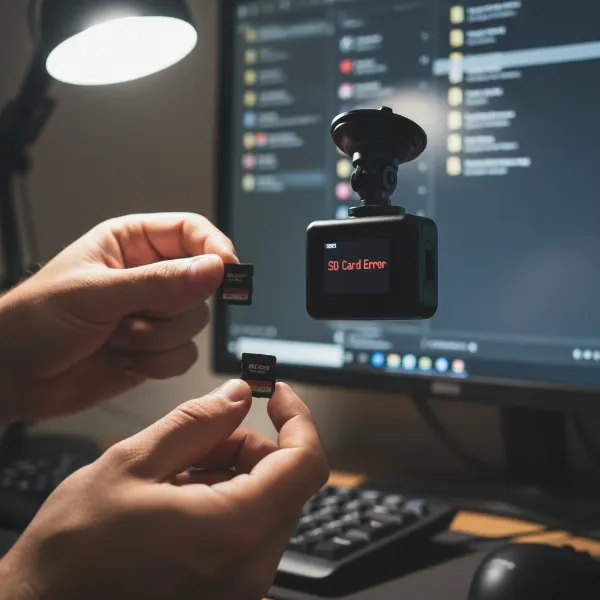
Imagine never having to worry about your dash cam running out of storage space. For many drivers, the thought of missing crucial footage due to a full memory card is a real concern. But what if I told you that most modern dash cams come equipped with a clever feature that ensures continuous recording without constant manual intervention? This is the magic of loop recording, a technology designed to keep your dash cam operational, always ready to capture the unexpected. As a dash cam expert with over a decade of hands-on experience, I’ve seen firsthand how this feature transforms the driving experience, offering peace of mind and reliable evidence when you need it most.
Understanding Dash Cam Recording: The Basics
Driving can be unpredictable, and having a reliable witness on board, in the form of a dash cam, is invaluable. But the sheer volume of video footage captured over hours of driving could quickly overwhelm any memory card. This is where loop recording steps in, acting as the silent guardian of your driving history.
What is Loop Recording?
|
Our Picks for the Best Dash Cam in 2026
As an Amazon Associate I earn from qualifying purchases.
|
||
| Num | Product | Action |
|---|---|---|
| 1 | ROVE R2-4K DUAL Dash Cam Front and Rear, STARVIS 2 Sensor, FREE 128GB Card Included, 5G WiFi - up to 20MB/s Fastest Download Speed with App, 4K 2160P/FHD Dash Camera for Cars, 3" IPS, 24H Parking Mode |

|
| 2 | Dash Cam Front and Rear, 2.5K Dual Dash Camera for Cars, 2560P Mini Car Camera, 2 inch IPS Screen, 32GB Card Included, WDR Night Vision, 24 Hours Parking Monitor, G-Sensor, Support 256 GB Max |
|
| 3 | 4K+4K Dash Cam Front and Rear, Free 128GB Card Included, 5.8GHz WiFi Dash Camera for Cars, Built-in GPS, G-Sensor, 170°Wide Angle, 3" IPS Screen, 24H Parking Mode, Support 512GB Max |
|
| 4 | WOLFBOX G840S 12" 4K Mirror Dash Cam Backup Camera, 5.8GHz WiFi Smart Rearview Mirror for Cars & Trucks, Front and Rear View Dual Cameras, Night Vision, Parking Assistance, Included 32GB Card & GPS |
|
| 5 | VIOFO A229 Plus Dash Cam Front and Rear, Dual STARVIS 2 Sensors, 2 Channel HDR, 1440P+1440P Voice Control Car Dash Camera, 5GHz Wi-Fi, Voice Control, Ultra-Precise GPS |
|
| 6 | Dash Cam Front and Rear, 1080P Dash Camera for Cars, 3 Channel Car Camera Front Rear and Inside with 32GB Card, Loop Recording, Night Vision, HDR, 24Hr Parking, G-Sensor |
|
| 7 | 4K Dash Cam Front, Built-in 5G WiFi, 64GB Card Included, Dash Camera for Cars, Mini Dashcam with Super Night Vision, Loop Recording, G-Sensor, 24 Hours Parking Monitor, Support 256GB Max |
|
| 8 | Garmin Dash Cam™ Mini 3, Ultracompact 1080p HD Dash Cam with a 140-degree Field of View, Built in Clarity™ Polarizer, Voice Controlled, Automatic Recording |
|
| 9 | Dual 4K Dash Cam Front and Rear - Free 64G SD Card, 2160P+2160P UHD Dash Camera for Cars, Dashcam with 176°+160° Wide Angle, 3.5'' IPS Screen Dashcam, G-Sensor, WDR, Night Vision, 24H Parking Monitor |
|
| 10 | REDTIGER 4K Dash Cam Front Rear, STARVIS 2 Sensor, Free Card Included, 5.8GHz WiFi-20MB/s Fast Download, Dash Camera for Cars with GPS, WDR Night Vision, 170°Wide Angle, 24H Parking Mode(F7NP) |
|
Loop recording is a fundamental feature that allows your dash cam to record continuously by automatically overwriting the oldest video files with new footage once the memory card reaches its storage limit. Think of it like a digital conveyor belt: instead of stopping when full, the camera loops back, deleting the oldest segment to make room for the latest moments on the road. This ingenious system ensures that your dash cam is always recording, providing an unbroken visual record of your journeys.
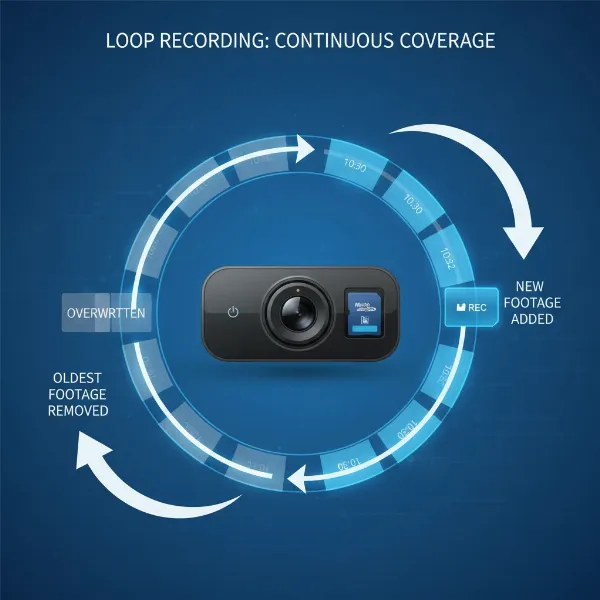 Illustration of dash cam loop recording system, continuously overwriting oldest video files with new footage.
How Loop Recording Works
The process behind loop recording is elegantly simple yet highly effective. When you power on your dash cam, it begins recording video in short, manageable segments, typically ranging from one to five minutes in length. These segments are saved sequentially onto your dash cam’s microSD card. As the memory card fills up, the dash cam’s software identifies the oldest, unlocked video segment and automatically deletes it to create space for the newest recording. This continuous cycle means your memory card is never truly “full” in a way that stops recording; instead, it’s constantly refreshing with the most recent footage. This constant overwriting, however, does highlight the importance of using high-endurance memory cards designed for frequent write cycles.
Key Features & Settings Related to Loop Recording
While loop recording handles the continuous flow of footage, several other features work in tandem to ensure critical moments are preserved.
File Locking and G-Sensor Events
Not all footage is meant to be overwritten. Important video clips, such as those documenting an accident or a sudden event, need to be protected. This is where the G-sensor (gravitational sensor) comes into play. When a G-sensor detects a sudden impact, sharp braking, or erratic movement, it automatically locks the current video segment, preventing it from being deleted by the loop recording process. Many dash cams also allow you to manually lock a segment with the press of a button, ensuring that a specific event you witnessed—like a beautiful sunset or an interesting roadside occurrence—is saved permanently. These locked files are then stored in a separate, protected folder on your memory card.
Recording Lengths and Intervals
Most dash cams offer customizable loop recording segment lengths, usually in 1, 3, or 5-minute intervals. The choice of interval can impact how easily you review footage. Shorter segments might make it quicker to pinpoint a specific event, while longer segments offer a more fluid playback experience without frequent file transitions. Experimenting with these settings can help you find what works best for your needs, balancing manageability with continuity.
Memory Card Management and Health
The memory card is the heart of your dash cam’s recording system. For optimal performance and longevity, choosing the right card is crucial. High-endurance microSD cards are specifically designed to withstand the constant read/write cycles of loop recording. Regular formatting of your memory card (e.g., once a month) is also a best practice. This helps to maintain the card’s health, prevent file corruption, and ensure the loop recording function operates smoothly. A healthy memory card is essential for reliable dash cam performance.
Benefits and Considerations of Loop Recording
Loop recording is more than just a convenience; it’s a fundamental aspect of effective dash cam operation, bringing significant advantages to drivers.
Advantages for Dash Cam Users
The primary benefit of loop recording is undoubtedly continuous, worry-free operation. You never have to manually delete files or swap out cards, ensuring your dash cam is always capturing the road ahead, or behind. This translates into unparalleled peace of mind, knowing that in the event of an accident, traffic dispute, or any other incident, you have a reliable video record. This continuous stream of evidence can be invaluable for insurance claims, legal disputes, or simply protecting yourself from false accusations. It effectively removes the logistical headache of storage management, allowing you to focus on driving.
“Loop recording fundamentally changes how we approach in-car safety. It’s the silent, ever-present witness that never forgets, ensuring drivers are always covered.” – Alex Pham, Dash Cam Systems Architect
Potential Downsides and How to Mitigate Them
While highly beneficial, loop recording isn’t without its considerations. The continuous overwriting means that uneventful older footage is permanently deleted. If there’s an incident or a moment you wish to save, and it’s not protected by the G-sensor or manually locked, it could be lost. Always check your dash cam’s G-sensor sensitivity settings to ensure it triggers appropriately, and make it a habit to manually lock important clips. Additionally, the constant write-and-erase cycles can lead to faster wear and tear on standard memory cards. Investing in high-endurance cards specifically designed for dash cams is vital to prolong their lifespan and ensure reliable performance.
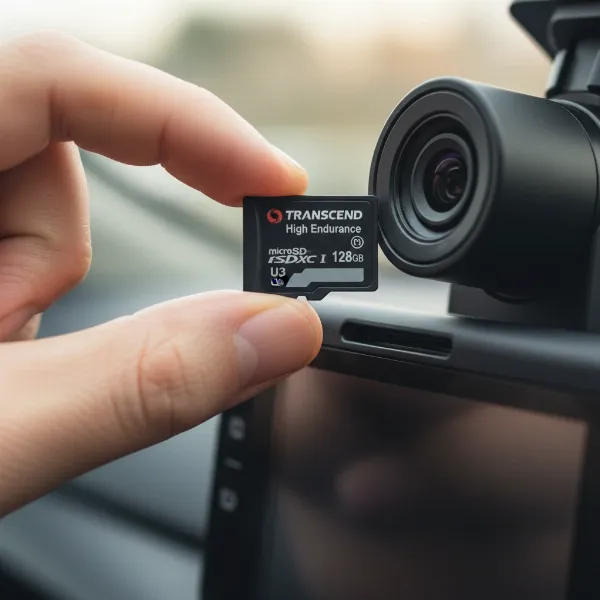 Close-up of a high-endurance microSD card for dash cams, emphasizing its durability for continuous recording.
Best Practices for Optimal Dash Cam Recording
Maximizing the effectiveness of your dash cam’s loop recording feature involves a few simple, yet crucial, steps.
Setting Up Your Dash Cam for Loop Recording
When you first install your dash cam, ensure loop recording is enabled in the settings menu—it’s usually on by default, but it’s always good to check. Select a loop recording interval that suits your preferences, typically 3 or 5 minutes. Before its first use, and periodically thereafter, format your memory card within the dash cam’s settings. This prepares the card for optimal recording and helps prevent potential file errors. Regularly review your dash cam’s settings to ensure the G-sensor sensitivity is appropriate for your driving style and vehicle.
Troubleshooting Common Loop Recording Issues
Even with loop recording, you might encounter issues like a “card full” error or corrupted files. Often, this is due to too many locked files consuming all available space, or an aging/faulty memory card. If you see such an error, check the number of locked files and delete any unnecessary ones. If the problem persists, formatting the card often resolves it. If problems continue, consider replacing your memory card with a new, high-endurance model. Sometimes, outdated firmware can also cause issues; check your dash cam manufacturer’s website for updates.
Frequently Asked Questions About Loop Recording
Is loop recording mandatory for dash cams?
While not strictly “mandatory” in terms of functionality, loop recording is considered an essential feature for nearly all modern dash cams. Without it, your dash cam’s memory card would quickly fill up, causing recording to cease until files are manually deleted, rendering the device largely impractical for continuous surveillance.
How often should I format my dash cam’s SD card?
It’s generally recommended to format your dash cam’s microSD card once a month, or at least every two to three months. This helps maintain the card’s health, clears any potentially corrupted files, and ensures optimal performance for continuous loop recording. Always back up any important footage before formatting.
Can I recover overwritten footage?
In most cases, once a video segment has been overwritten by the loop recording function, it is permanently lost and cannot be recovered. This underscores the importance of promptly saving or locking any footage you deem critical, either manually or via the G-sensor’s automatic trigger.
What happens if my G-sensor is too sensitive?
If your G-sensor is set to be too sensitive, it will trigger and lock video files even during minor bumps, potholes, or hard braking. This can lead to your memory card quickly filling up with locked, non-essential files, eventually preventing new footage from being recorded. Adjusting the sensitivity to a moderate level is key to preserving only truly important events.
Conclusion
Loop recording is a cornerstone technology that has revolutionized how dash cams operate, guaranteeing uninterrupted coverage and safeguarding your driving record. It liberates you from the tedious task of manual storage management, ensuring your dash cam is always ready to capture the moments that matter most. By understanding how it works, utilizing its integrated features like G-sensor protection, and maintaining your memory card, you harness the full power of your Dash Cam. So, rest assured, with loop recording, your card is indeed never truly full—it’s simply always updating, keeping a vigilant eye on every mile you travel. What aspects of continuous recording do you find most reassuring for your daily drives?