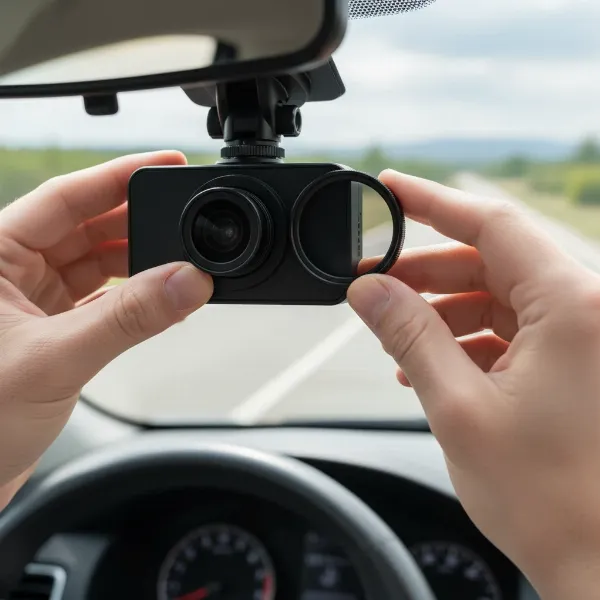
In today’s fast-paced world, a reliable dash cam has transitioned from a luxury to a necessity for many drivers. It acts as an unbiased witness on the road, providing invaluable evidence in case of accidents, deterring vandalism in parking lots, and even capturing unexpected moments during your commute. Among the myriad of options available, the Thinkware Q800 Pro carved out a significant niche as a premium, feature-rich choice. While it has been succeeded by newer models, understanding its capabilities still offers immense value for those considering older, well-regarded units or comparing it to its modern counterparts. This comprehensive review will dissect the Thinkware Q800 Pro’s core features, performance, and overall value, helping you navigate the complexities of dash cam technology.
Understanding Dash Cam Types: Finding Your Perfect Fit
Before diving into the specifics of the Thinkware Q800 Pro, it’s helpful to understand the various types of dash cams available and who they best serve.
- Front-Facing Dash Cams: These are the most basic and common, recording only the road ahead. They are ideal for drivers primarily concerned with capturing incidents that occur in front of their vehicle.
- Front and Rear Dash Cams (2-Channel): Offering comprehensive coverage, these systems record both the front and rear of your vehicle simultaneously. They are highly recommended for maximum protection, providing evidence for rear-end collisions or incidents involving your vehicle from behind. The Thinkware Q800 Pro primarily operates as a 2-channel system with an optional rear camera.
- Interior/Cabin Dash Cams: Often paired with front-facing cameras, these focus on the vehicle’s interior. They are popular among rideshare drivers, taxi services, or parents who want to monitor their car’s cabin.
- Mirror Dash Cams: These replace or clip onto your existing rearview mirror, often featuring a large screen that displays footage from front and rear cameras, sometimes doubling as a reverse camera display.
For those seeking robust all-around protection, especially with comprehensive parking surveillance, a high-quality front and rear system like the Thinkware Q800 Pro is often the preferred choice.
Essential Criteria for Selecting Your Dash Cam
Choosing the right dash cam requires careful consideration of several key factors to ensure it meets your specific needs for safety, evidence, and convenience.
Image Quality
|
Our Picks for the Best Dash Cam in 2026
As an Amazon Associate I earn from qualifying purchases.
|
||
| Num | Product | Action |
|---|---|---|
| 1 | VIOFO A229 Plus Dash Cam Front and Rear, Dual STARVIS 2 Sensors, 2 Channel HDR, 1440P+1440P Voice Control Car Dash Camera, 5GHz Wi-Fi, Voice Control, Ultra-Precise GPS |

|
| 2 | ROVE R2-4K DUAL Dash Cam Front and Rear, STARVIS 2 Sensor, FREE 128GB Card Included, 5G WiFi - up to 20MB/s Fastest Download Speed with App, 4K 2160P/FHD Dash Camera for Cars, 3" IPS, 24H Parking Mode |
|
| 3 | Dash Cam Front and Rear, 2.5K Dual Dash Camera for Cars, 2560P Mini Car Camera, 2 inch IPS Screen, 32GB Card Included, WDR Night Vision, 24 Hours Parking Monitor, G-Sensor, Support 256 GB Max |
|
| 4 | REDTIGER 4K Dash Cam Front Rear, STARVIS 2 Sensor, Free Card Included, 5.8GHz WiFi-20MB/s Fast Download, Dash Camera for Cars with GPS, WDR Night Vision, 170°Wide Angle, 24H Parking Mode(F7NP) |
|
| 5 | Garmin Dash Cam™ Mini 3, Ultracompact 1080p HD Dash Cam with a 140-degree Field of View, Built in Clarity™ Polarizer, Voice Controlled, Automatic Recording |
|
| 6 | WOLFBOX G840S 12" 4K Mirror Dash Cam Backup Camera, 5.8GHz WiFi Smart Rearview Mirror for Cars & Trucks, Front and Rear View Dual Cameras, Night Vision, Parking Assistance, Included 32GB Card & GPS |
|
| 7 | 4K Dash Cam Front, Built-in 5G WiFi, 64GB Card Included, Dash Camera for Cars, Mini Dashcam with Super Night Vision, Loop Recording, G-Sensor, 24 Hours Parking Monitor, Support 256GB Max |
|
| 8 | Dual 4K Dash Cam Front and Rear - Free 64G SD Card, 2160P+2160P UHD Dash Camera for Cars, Dashcam with 176°+160° Wide Angle, 3.5'' IPS Screen Dashcam, G-Sensor, WDR, Night Vision, 24H Parking Monitor |
|
| 9 | Dash Cam Front and Rear, 1080P Dash Camera for Cars, 3 Channel Car Camera Front Rear and Inside with 32GB Card, Loop Recording, Night Vision, HDR, 24Hr Parking, G-Sensor |
|
| 10 | 4K+4K Dash Cam Front and Rear, Free 128GB Card Included, 5.8GHz WiFi Dash Camera for Cars, Built-in GPS, G-Sensor, 170°Wide Angle, 3" IPS Screen, 24H Parking Mode, Support 512GB Max |
|
The clarity of recorded footage is paramount. Higher resolutions like 2K QHD (2560×1440) or 4K offer significantly more detail, making it easier to read license plates and street signs, which can be crucial evidence. The Thinkware Q800 Pro excels with its 2K QHD front camera, powered by a Sony STARVIS image sensor known for its superior light sensitivity. Features like Wide Dynamic Range (WDR) are vital for balancing exposure in challenging lighting conditions, such as driving out of a tunnel or facing direct sunlight, preventing footage from being overly bright or dark.
Key Features
Modern dash cams are packed with intelligent functionalities:
- G-Sensor: Automatically detects impacts and sudden braking, safeguarding incident footage from being overwritten.
- GPS: Records speed, location, and route history, providing context to events.
- Loop Recording: Ensures continuous recording by overwriting the oldest non-incident files when the memory card is full.
- Parking Mode: Critical for protecting your vehicle when unattended. This can include Motion Detection (records when movement is detected), Time Lapse (records at a lower frame rate to save space over long periods), or Energy Saving Mode (the camera sleeps and wakes up quickly upon impact).
- Advanced Driver Assistance Systems (ADAS): Features like Lane Departure Warning (LDWS), Forward Collision Warning (FCWS), and Front Vehicle Departure Warning (FVDW) provide audible alerts to help prevent accidents.
- Wi-Fi & Cloud Connectivity: Allows for wireless access to footage and settings via a smartphone app. Cloud features, such as remote live view, vehicle locator, and impact notifications, offer enhanced real-time monitoring, though they often require a separate Wi-Fi hotspot in the vehicle.
Durability & Reliability
A dash cam operates in challenging environments, enduring extreme temperatures and vibrations. Look for models with supercapacitors instead of lithium-ion batteries, as supercapacitors are more resilient to heat and cold, offering greater longevity and safety. A robust build quality is also essential to withstand daily wear and tear.
Brand Reputation
Reputable brands like Thinkware are known for their commitment to quality, reliability, and ongoing firmware support. Opting for a recognized brand often translates to better product performance and customer service.
Thinkware Q800 Pro: Detailed Performance Analysis
The Thinkware Q800 Pro stands out as a high-performance dash cam, particularly recognized for its balanced features and exceptional parking surveillance.
Design and Build Quality
The Q800 Pro features a sleek, compact, and discreet design that allows it to sit neatly behind your rearview mirror, minimizing obstructions to your field of vision. Its all-black body, rubberized exterior, and matte black buttons contribute to a premium aesthetic that blends seamlessly with most car interiors. This subtle profile ensures it doesn’t draw undue attention, enhancing both safety and aesthetics.
Video Recording Quality
At its core, the Q800 Pro delivers excellent 2K QHD (2560×1440) resolution for its front camera at 30 frames per second. When paired with the optional rear camera, it captures Full HD (1920×1080) footage, also at 30fps. The integration of a 5.14MP Sony STARVIS image sensor for the front and a 2.13MP Sony STARVIS for the rear ensures remarkable clarity and detail in recordings, making it easier to discern critical elements like license plates. Furthermore, Wide Dynamic Range (WDR) and Automatic Exposure technologies actively work to optimize image brightness and color balance, providing vivid and clear video recordings under various lighting conditions, from harsh sunlight to shadowed areas.
Low Light and Night Vision Capabilities
One of the Q800 Pro’s most lauded features is its Super Night Vision 2.0. This proprietary Image Signal Processing (ISP) technology, combined with the sensitive Sony STARVIS sensor, significantly reduces noise and enhances image quality in low-light environments. Whether you’re driving through dimly lit streets or your car is parked in a dark parking garage, the Q800 Pro strives to capture clear and identifiable footage. While some users note night vision footage can be slightly grainy, it consistently performs well enough to compensate for challenging conditions like bright streetlights, ensuring vital details aren’t lost.
Advanced Driver Assistance Systems (ADAS) and Safety Alerts
For enhanced driver safety, the Thinkware Q800 Pro comes equipped with a suite of ADAS features:
- Lane Departure Warning System (LDWS): Alerts you if your vehicle veers off its lane.
- Forward Collision Warning System (FCWS/uFCWS): Warns you of potential collisions with the vehicle ahead.
- Front Vehicle Departure Warning (FVDW): Notifies you when the vehicle in front has started to move from a standstill, preventing delayed reactions in traffic.
Additionally, the dash cam provides Safety Camera Alerts for speed cameras, red light cameras, average speed zones, and mobile zones, leveraging its built-in GPS. While these features are valuable for many, drivers whose vehicles already possess native ADAS might find some of these alerts redundant.
Parking Surveillance Modes
The Q800 Pro is particularly renowned for its robust and energy-efficient parking surveillance. It offers several modes to keep your vehicle protected when you’re away:
- Motion Detection Recording: Records when movement is detected around the vehicle.
- Time Lapse Recording: Records at a low frame rate (2fps), allowing for much longer recording durations while still capturing critical events.
- Energy Saving Parking Recording: The dash cam goes into a low-power “sleep” mode and wakes up within a second to record a 20-second clip if an impact is detected by the G-sensor. This mode significantly reduces power consumption, extending surveillance time up to three times longer than standard parking modes.
All parking modes benefit from buffered recording, meaning the camera saves the 5-10 seconds prior to an impact, providing crucial context to the incident. To utilize these parking features fully and protect your car’s battery, the Q800 Pro requires hardwiring to your vehicle’s fuse box. Its low power consumption of just 2.9W, combined with battery discharge prevention technology, ensures your car’s battery remains safe.
Connectivity: GPS, Wi-Fi, and Thinkware Cloud
With built-in GPS, the Q800 Pro accurately records your vehicle’s speed and geographical position, embedding this data into your video files. Integrated Wi-Fi allows for seamless connection to the Thinkware mobile app on your smartphone, enabling you to view live footage, review recorded videos, download clips, and adjust settings wirelessly.
For advanced remote monitoring, the Q800 Pro supports Thinkware Cloud features. These include Driving Impact Notifications, which alert your phone if a significant impact occurs while driving, Vehicle Locator, which provides real-time tracking of your vehicle’s location, and Geo-Fencing, which sends notifications if your vehicle enters or exits a predefined geographical area. It’s important to note that Cloud features typically require a continuous Wi-Fi hotspot in your vehicle. User feedback generally indicates the app is easy to use, though some historical reports mentioned occasional connectivity hiccups.
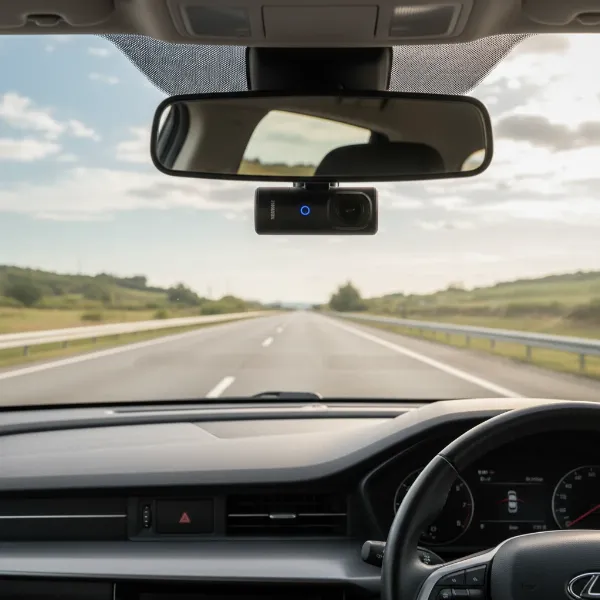 Thinkware Q800 Pro dash cam discreetly installed in a car interior, capturing a clear road view through the windshield
Thinkware Q800 Pro vs. Competitors: A Quick Comparison
While the Q800 Pro was a top contender, the dash cam market evolves rapidly. It’s useful to briefly see how it stands against some other popular options, especially its successor.
| Feature | Thinkware Q800 Pro | BlackVue DR750X-2CH | BlackVue DR900S-2CH | Thinkware Q1000 |
|---|---|---|---|---|
| Front Resolution | 2K QHD (1440p) | Full HD (1080p) or Full HD 60fps | 4K UHD (2160p) | 2K QHD (1440p) |
| Rear Resolution | Full HD (1080p) (Optional) | Full HD (1080p) (Optional) | Full HD (1080p) (Optional) | Full HD (1080p) (Optional) |
| Image Sensor | Sony STARVIS (Front & Rear) | Sony STARVIS (Front & Rear) | 8MP CMOS (Front), Sony STARVIS (Rear) | Sony STARVIS (Front & Rear) |
| Parking Modes | Motion, Time Lapse, Energy Saving, Buffered | Motion, Time Lapse, Buffered | Motion, Time Lapse, Buffered | Motion, Time Lapse, Energy Saving, Buffered, RADAR (optional) |
| ADAS | Yes | Limited (some models) | Limited (some models) | Yes |
| Cloud | Yes (requires hotspot) | Yes (requires hotspot or LTE module) | Yes (requires hotspot or LTE module) | Yes (requires hotspot) |
| Installation | Generally easy to upgrade from F800 Pro | Straightforward | Straightforward | Similar to Q800 Pro |
| Discreet Design | Very high | High | High | Very high |
The Q800 Pro offers a compelling balance of 2K video quality, advanced parking features, and driver assistance systems. While the BlackVue DR900S-2CH provides higher 4K resolution, the Q800 Pro’s 2K footage is often sufficient and still incredibly clear, especially with its low-light performance. The BlackVue DR750X-2CH might offer slightly more user-friendly app experiences for some, but the Q800 Pro’s comprehensive feature set remains competitive.
It’s important to note that the Thinkware Q800 Pro has been succeeded by the Thinkware Q1000. The Q1000 often builds upon the Q800 Pro’s strengths, potentially offering further refinements in image processing, enhanced connectivity, and even more advanced parking mode options, such as optional RADAR detection. Therefore, if you are considering a new purchase, exploring the Q1000 might be worthwhile, though the Q800 Pro can still represent excellent value if found at a good price.
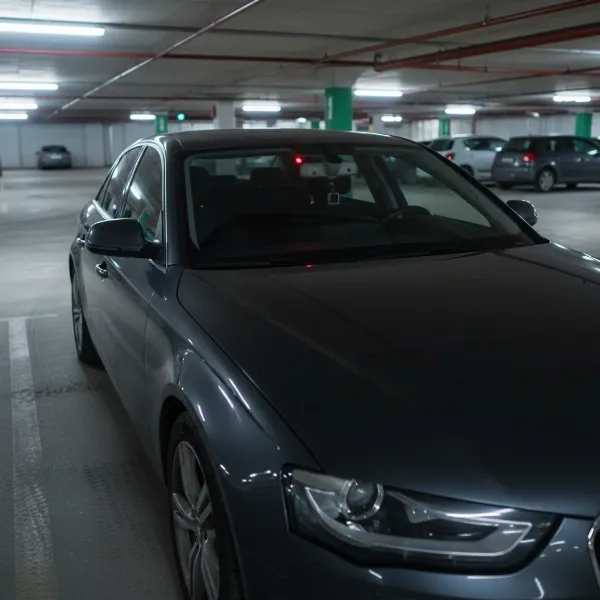 A car parked in a dimly lit parking lot, with a glowing red security LED from a dash cam, indicating active parking surveillance
Buying and Maintaining Your Dash Cam
Once you’ve decided on a dash cam like the Thinkware Q800 Pro, a few practical steps ensure optimal performance and longevity.
Where to Buy
Since the Q800 Pro is an older model, direct purchases from major retailers might be limited. You may find it through specialized dash cam distributors or online marketplaces. When purchasing, ensure you’re buying from a reputable seller to guarantee authenticity and warranty coverage. If new units are hard to find, consider its successor, the Thinkware Q1000, for updated features and broader availability.
Installation Tips
For a clean and fully functional setup, especially utilizing parking modes, professional installation involving hardwiring is highly recommended. This connects the dash cam directly to your car’s fuse box, providing continuous power even when the engine is off and protecting your battery. If you prefer DIY, aim for a discreet placement behind your rearview mirror and carefully tuck all cables along the headliner and A-pillar to avoid obstructing your view or creating a messy interior. The Q800 Pro’s compact design aids in achieving a discreet installation.
Maintenance
- SD Card Management: Regularly format your microSD card (monthly is ideal) to maintain optimal performance and prevent corruption. Using a high-endurance microSD card specifically designed for continuous recording is crucial.
- Firmware Updates: Check the Thinkware website periodically for firmware updates. These updates often bring performance improvements, bug fixes, and sometimes new features.
- Lens Cleaning: Keep the dash cam lens clean from dust and smudges to ensure clear video quality.
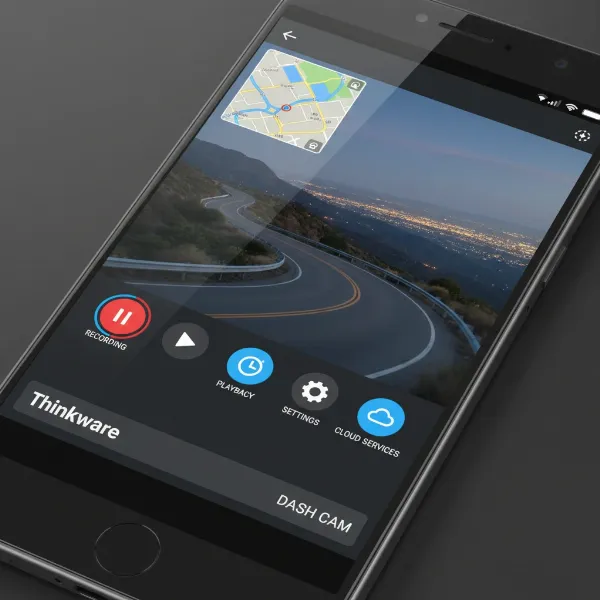 Close-up of a smartphone screen displaying the Thinkware dash cam app interface with live view, GPS map, and recording controls
Frequently Asked Questions About Dash Cams
What is 2K QHD resolution and why is it important for a dash cam?
2K QHD (Quad High Definition) resolution, specifically 2560×1440 pixels, offers four times the clarity of standard 720p HD. This higher pixel count is crucial for dash cams because it captures significantly more detail in footage, making it much easier to identify critical information like license plates, faces, and road signs in the event of an incident.
Does the Thinkware Q800 Pro come with a rear camera?
The Thinkware Q800 Pro is typically sold as a front-facing unit, with the option to add a Full HD rear camera. This allows drivers to choose between single-channel (front only) or dual-channel (front and rear) coverage based on their specific needs and desired level of protection.
Is hardwiring necessary for the Q800 Pro’s parking mode?
Yes, for the Thinkware Q800 Pro to fully utilize its advanced parking surveillance modes—including Motion Detection, Time Lapse, and Energy Saving—it requires a continuous power supply that is best achieved through hardwiring to your vehicle’s fuse box. This ensures the camera can monitor your vehicle even when the ignition is off, while built-in battery protection prevents car battery drain.
How does Super Night Vision 2.0 work?
Thinkware’s Super Night Vision 2.0 technology utilizes an advanced Image Signal Processing (ISP) system along with a high-sensitivity Sony STARVIS image sensor. This combination enhances video clarity and reduces noise in extremely low-light conditions, enabling the dash cam to record clearer and more distinguishable footage in dark environments like unlit roads or parking lots.
What is the main difference between the Q800 Pro and its successor, the Q1000?
The Thinkware Q1000, as the successor to the Q800 Pro, typically features refinements in video processing, potentially improved low-light performance, and often introduces new functionalities such as an optional RADAR module for even more sophisticated parking surveillance. While both offer 2K QHD front recording, the Q1000 represents an evolution in performance and features.
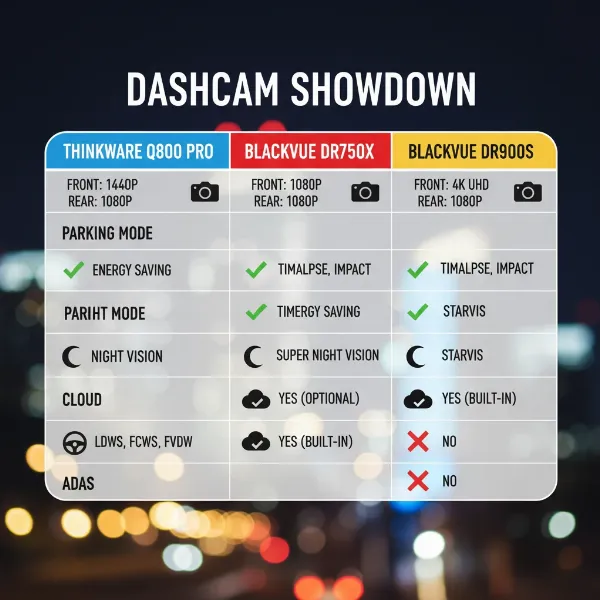 A graphic illustrating a comparison of key features between the Thinkware Q800 Pro and two other leading dash cam models
Conclusion
The Thinkware Q800 Pro, though an older model, remains a testament to robust engineering and thoughtful design in the dash cam market. Its impressive 2K QHD video quality, coupled with advanced Sony STARVIS sensors and Super Night Vision 2.0, ensures excellent recordings both day and night. The comprehensive suite of parking surveillance modes—including Motion Detection, Time Lapse, and the highly efficient Energy Saving mode—makes it an ideal choice for drivers prioritizing continuous protection when their vehicle is parked. Factor in its discreet design, built-in GPS and Wi-Fi, and valuable ADAS features, and you have a dash cam that offers significant peace of mind.
While newer models like the Thinkware Q1000 have evolved the technology, the Q800 Pro’s enduring feature set still offers exceptional value. For those seeking a reliable, high-performing dash cam with a strong emphasis on parking security and driver assistance, the Q800 Pro certainly stands the test of time. Considering your specific driving habits and parking scenarios, how might a Dash Cam like the Thinkware Q800 Pro transform your daily sense of security on the road?