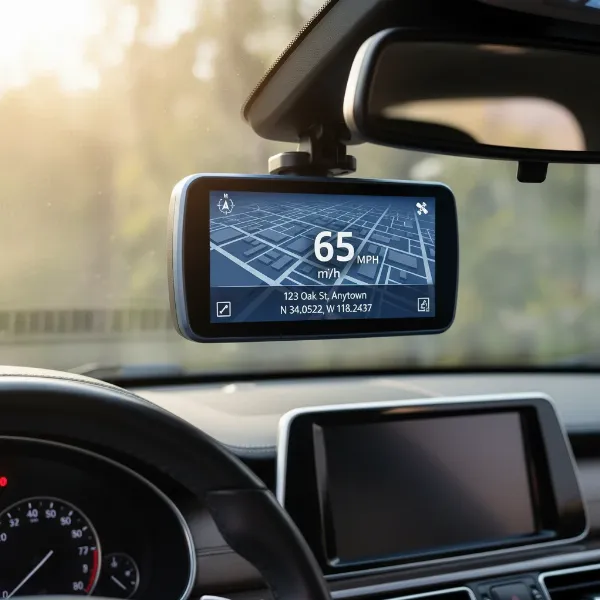
Navigating today’s roads demands more than just vigilant driving; it requires smart technology to enhance safety and provide undeniable evidence when incidents occur. For many drivers, traditional rearview mirrors present limitations, especially when cargo or passengers obstruct the view, creating dangerous blind spots. This challenge is precisely what cutting-edge stream media mirror dash cams aim to solve, transforming your conventional mirror into a high-definition, wide-angle display that offers an unobstructed view of what’s behind you. This comprehensive guide, informed by over a decade of hands-on experience with dash cam technology, will help you discover the ideal mirror dash cam to safeguard your journeys, offering a blend of advanced features, superior image quality, and seamless integration.
What are Rear View Mirror Dash Cams (Stream Media Mirrors)?
Rear view mirror dash cams, often referred to as stream media mirrors, are innovative devices designed to replace or clip over your existing rearview mirror. Unlike traditional mirrors, these units feature a large LCD screen that displays a live video feed from a rear-mounted camera, effectively providing a digital “stream” of what’s happening behind your vehicle. This technology extends beyond a simple backup camera, offering continuous recording capabilities for both front and rear views, similar to a standard dash cam, but with the added benefit of an enhanced rearview display.
These intelligent mirrors offer significant advantages over their conventional counterparts. The primary benefit is a dramatically wider field of view (FOV), which largely eliminates blind spots caused by vehicle structures, headrests, or cargo. With advanced sensors and processing, they often provide clearer images, especially in low-light conditions, surpassing the visibility offered by an optical mirror. This continuous, unobstructed rear perspective is a game-changer for driving safety and awareness.
Why Choose a Stream Media Mirror Dash Cam?
Opting for a stream media mirror dash cam is a decision to significantly upgrade your driving experience, blending safety with modern convenience. These devices stand out by addressing common driving frustrations and introducing a suite of beneficial features.
Firstly, they dramatically enhance driving safety. By presenting a wide-angle, unobstructed view of the road behind you, blind spots become a thing of the past. This is particularly crucial when changing lanes, backing up, or driving large vehicles where rear visibility is traditionally compromised. Many models also integrate parking assistance lines directly into the live feed, making maneuvering in tight spaces much easier and safer.
Secondly, stream media mirrors offer discreet integration and superior aesthetics. Designed to seamlessly replace or clip over your existing mirror, they maintain an “OEM look” that avoids the cluttered windshield often associated with separate dash cams and monitors. The large, sleek display enhances your car’s interior, providing a modern and integrated feel. Many units feature 2.5D curved screens that blend flawlessly with the existing mirror’s curvature, offering an elegant solution.
Finally, these dash cams pack a punch with advanced features. Beyond live streaming, you’ll find capabilities like dual or even triple-channel recording (front, rear, and cabin), touch screen interfaces for intuitive control, GPS for speed and location data, Wi-Fi for easy file transfer to your smartphone, and dedicated parking surveillance modes that record impacts or motion even when your vehicle is off. This combination of features provides comprehensive protection and convenience that traditional dash cams or simple rearview mirrors cannot match.
Key Criteria for Choosing the Best Mirror Dash Cam
Selecting the ideal mirror dash cam requires careful consideration of several critical factors to ensure it meets your specific driving needs and expectations.
Image Quality
|
Our Picks for the Best Dash Cam in 2026
As an Amazon Associate I earn from qualifying purchases.
|
||
| Num | Product | Action |
|---|---|---|
| 1 | Dash Cam Front and Rear, 2.5K Dual Dash Camera for Cars, 2560P Mini Car Camera, 2 inch IPS Screen, 32GB Card Included, WDR Night Vision, 24 Hours Parking Monitor, G-Sensor, Support 256 GB Max |

|
| 2 | Dual 4K Dash Cam Front and Rear - Free 64G SD Card, 2160P+2160P UHD Dash Camera for Cars, Dashcam with 176°+160° Wide Angle, 3.5'' IPS Screen Dashcam, G-Sensor, WDR, Night Vision, 24H Parking Monitor |
|
| 3 | Garmin Dash Cam™ Mini 3, Ultracompact 1080p HD Dash Cam with a 140-degree Field of View, Built in Clarity™ Polarizer, Voice Controlled, Automatic Recording |
|
| 4 | ROVE R2-4K DUAL Dash Cam Front and Rear, STARVIS 2 Sensor, FREE 128GB Card Included, 5G WiFi - up to 20MB/s Fastest Download Speed with App, 4K 2160P/FHD Dash Camera for Cars, 3" IPS, 24H Parking Mode |
|
| 5 | 4K Dash Cam Front, Built-in 5G WiFi, 64GB Card Included, Dash Camera for Cars, Mini Dashcam with Super Night Vision, Loop Recording, G-Sensor, 24 Hours Parking Monitor, Support 256GB Max |
|
| 6 | VIOFO A229 Plus Dash Cam Front and Rear, Dual STARVIS 2 Sensors, 2 Channel HDR, 1440P+1440P Voice Control Car Dash Camera, 5GHz Wi-Fi, Voice Control, Ultra-Precise GPS |
|
| 7 | 4K+4K Dash Cam Front and Rear, Free 128GB Card Included, 5.8GHz WiFi Dash Camera for Cars, Built-in GPS, G-Sensor, 170°Wide Angle, 3" IPS Screen, 24H Parking Mode, Support 512GB Max |
|
| 8 | Dash Cam Front and Rear, 1080P Dash Camera for Cars, 3 Channel Car Camera Front Rear and Inside with 32GB Card, Loop Recording, Night Vision, HDR, 24Hr Parking, G-Sensor |
|
| 9 | WOLFBOX G840S 12" 4K Mirror Dash Cam Backup Camera, 5.8GHz WiFi Smart Rearview Mirror for Cars & Trucks, Front and Rear View Dual Cameras, Night Vision, Parking Assistance, Included 32GB Card & GPS |
|
| 10 | REDTIGER 4K Dash Cam Front Rear, STARVIS 2 Sensor, Free Card Included, 5.8GHz WiFi-20MB/s Fast Download, Dash Camera for Cars with GPS, WDR Night Vision, 170°Wide Angle, 24H Parking Mode(F7NP) |
|
The cornerstone of any dash cam is its ability to capture clear, detailed footage. Look for a mirror dash cam with high resolution, ideally 4K for the front camera and at least 1080p or 2.5K for the rear camera. The type of image sensor is also crucial; many top models utilize Sony STARVIS sensors for their exceptional low-light performance. Features like Wide Dynamic Range (WDR) or High Dynamic Range (HDR) are vital for balancing exposure in challenging lighting conditions, such as driving directly into the sun or at night, ensuring that details like license plates and road signs remain legible.
Field of View (FOV)
A wide field of view is a key advantage of stream media mirrors, but balance is essential. A front camera with a 170° angle and a rear camera with a 140° angle generally provide an ultra-wide perspective that minimizes blind spots without excessive “fish-eye” distortion. It’s important to find a balance where you see more of the road, but critical details are not too small or distorted to be useful.
Display Quality & Size
The integrated screen is your primary interface and rearview. Look for an IPS LCD display for vibrant colors, wide viewing angles, and clear visibility even in bright sunlight. Screen sizes typically range from 9 to 12 inches, often providing a view that is “1.5 times larger than an ordinary rear view mirror”. An anti-glare coating and a responsive touch screen further enhance usability.
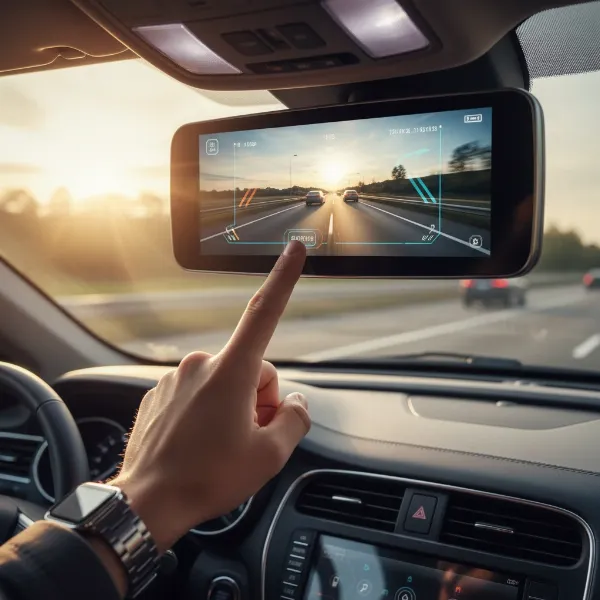 A hand interacting with a vibrant touchscreen mirror dash cam displaying a wide rear view.
Recording Features
Beyond continuous loop recording, essential features include a G-sensor that automatically locks and saves footage upon detecting an impact, preventing it from being overwritten. A robust parking monitor mode is indispensable; this can include time-lapse recording, motion detection, or impact detection to protect your vehicle while parked. Ensure the camera supports sufficient SD card capacity for extended recording.
Connectivity & Smart Features
Modern mirror dash cams often come equipped with GPS to record your vehicle’s speed and location, providing critical data for insurance claims. Wi-Fi connectivity allows you to easily view, download, and share footage via a smartphone app without needing to remove the SD card. Some advanced units even offer Bluetooth connectivity or integration with Apple CarPlay/Android Auto, turning your mirror into a comprehensive infotainment hub.
Durability & Reliability
Dash cams operate in challenging environments. Look for models built with heat-resistant materials to withstand extreme temperatures inside a parked car. Robust build quality ensures the device can endure daily vibrations. Reliable software and frequent firmware updates from the manufacturer indicate a commitment to performance and longevity.
Installation & Usability
Consider the ease of installation. Many units simply strap over your existing mirror, while others are designed for a more permanent replacement. Assess the complexity of routing cables for the rear camera and power. A user-friendly interface with intuitive menus and clear on-screen prompts is vital for a hassle-free experience.
Top Rear View Mirror Dash Cam Models of 2024-2025
The market for stream media mirror dash cams is vibrant, with several manufacturers consistently delivering high-quality, feature-rich options. Based on current trends and user feedback, models from Wolfbox, Pelsee, and AUTO-VOX frequently emerge as top contenders.
Wolfbox Mirror Dash Cams
Wolfbox is a prominent name, often lauded for its robust offerings. Models like the Wolfbox G840S 4K and Wolfbox 900 Pro Mirror Dash Cam are frequently highlighted for their premium features and performance. These devices typically boast 4K front recording paired with 1080p or 2.5K rear cameras, providing excellent clarity. They feature ultra-wide lenses (e.g., 170° front and 140° rear), significantly reducing blind spots. A common highlight is the large display, often 1.5 times bigger than a standard mirror, and the smart split-screen function that allows simultaneous viewing of dual lenses. Wolfbox cameras often integrate a 2.5D curved screen for a more seamless, OEM look.
Pelsee Mirror Dash Cams
Pelsee also stands out, particularly with its Pelsee 4K Mirror Dash Cam models. These units are recognized for shooting “sharp 4K video through a wide, 150-degree lens”. Key features include advanced image stabilization and built-in processing that contribute to high-quality video. Pelsee cameras are often praised for their “enhanced night vision and wide dynamic range”, ensuring clear footage day and night. Their comprehensive feature set is designed to enhance both driving safety and convenience.
AUTO-VOX Mirror Dash Cams
AUTO-VOX offers models like the AUTO-VOX T2 Rear View Mirror, which is often cited as an “all-in-one mirror that integrates camera feed and infotainment”. These devices are known for delivering a “super clear and smooth video experience” with FHD 1080p resolution for the rearview camera. AUTO-VOX emphasizes straightforward setup and reliable playback, with a display designed to be clear and distraction-free, integrating perfectly with the existing mirror for a factory-fitted appearance.
Comparison Table: Leading Mirror Dash Cams (2024-2025)
| Model Feature | Wolfbox G840S 4K / 900 Pro | Pelsee 4K Mirror Dash Cam | AUTO-VOX T2 Mirror | JOMISE 4K Mirror Dash Cam |
|---|---|---|---|---|
| Front Resolution | 4K | 4K | 1080p | 4K |
| Rear Resolution | 1080p / 2.5K | 1080p | 1080p | 2.5K |
| Screen Size | Large (e.g., 10-12″) | Large | Standard (OEM) | Large |
| Key Sensor | Sony STARVIS (often) | Sony (often) | Sony (often) | Sony (often) |
| Special Features | Ultra-wide FOV, Split-screen, 2.5D Curved | Image Stabilization, Enhanced Night Vision | All-in-one, Seamless OEM Integration | Pull-out Front Camera |
| Connectivity | GPS, Wi-Fi | GPS, Wi-Fi | GPS, Wi-Fi | GPS, Wi-Fi |
| Parking Mode | Yes (Time-lapse/Impact) | Yes (Motion/Impact) | Yes (Impact) | Yes |
Installation Guide for Mirror Dash Cams
Installing a mirror dash cam can seem daunting, but it’s a manageable DIY task for most. Proper installation ensures optimal performance and a clean, integrated look.
- Mounting the Mirror Unit: Most mirror dash cams either clip over your existing rearview mirror with elastic straps or replace it entirely. For clip-on models, simply secure the straps firmly. For replacement units, carefully remove your old mirror and attach the new one, ensuring it’s stable and provides a clear view.
- Routing the Front Camera Cable (if external): If your front camera is separate from the mirror unit, route its cable discreetly along the top of the windshield, tucking it under the headliner and down the A-pillar to the main mirror unit.
- Installing the Rear Camera: This is often the most critical step. For an exterior rear camera (recommended for the best view), mount it above your license plate or on the rear bumper. Carefully route the cable through the vehicle’s interior, under floor mats, along door sills, and up to the front mirror unit. For interior rear cameras (e.g., for cabin view), mount it on the rear windshield. Ensure all cables are tucked neatly away to prevent interference with airbags or other vehicle components.
- Powering the Unit: The simplest method is using the included car charger plugged into your cigarette lighter socket. For continuous parking surveillance, you’ll need a hardwire kit connected directly to your car’s fuse box. This allows the dash cam to draw power even when the engine is off, protecting your battery from draining excessively.
- Initial Setup and Calibration: Once powered, follow the on-screen instructions to set the time, date, loop recording duration, G-sensor sensitivity, and parking mode preferences. Adjust the rear camera’s angle on the mirror display to ensure it provides the best possible rearward visibility, minimizing any blind spots.
Maintaining Your Mirror Dash Cam
To ensure your stream media mirror dash cam continues to provide reliable performance and crystal-clear footage, regular maintenance is essential.
One of the most important aspects is SD card best practices. Dash cam footage is continuously written and overwritten, which can degrade the SD card over time. It’s recommended to format your SD card monthly to maintain its health and prevent data corruption. Consider replacing the SD card annually, especially if you use a high-endurance card. Always use high-quality, high-endurance microSD cards specifically designed for dash cams.
Regularly clean the lenses and screen with a soft, microfiber cloth to remove dust, fingerprints, and smudges that can impair image quality. Avoid harsh chemicals that could damage coatings. Periodically check for and install any firmware updates released by the manufacturer. These updates often improve performance, add new features, or fix bugs, ensuring your dash cam operates with the latest enhancements.
Frequently Asked Questions
Are mirror dash cams better than traditional dash cams?
Mirror dash cams offer several advantages, especially an expanded field of view that eliminates blind spots and a seamless, integrated aesthetic. While traditional dash cams can be more discreet and simpler to install, mirror dash cams provide a superior rearview experience and often include advanced features like touchscreens and parking assistance.
Do all mirror dash cams have parking mode?
Most modern mirror dash cams do offer some form of parking mode, which records events when your car is parked. This can range from simple G-sensor activation to more sophisticated motion detection or time-lapse recording. However, for continuous parking surveillance, a hardwire kit is usually required to prevent battery drain.
How difficult is it to install a mirror dash cam?
Installation difficulty varies. Clip-on models are relatively easy to install, essentially strapping onto your existing mirror. Full replacement units require more effort. Routing the rear camera cable neatly is often the most time-consuming part, but with patience and basic tools, it’s a manageable DIY project for most car owners.
What resolution is best for a mirror dash cam?
For the front camera, 4K resolution is highly recommended for capturing fine details like license plates. For the rear camera, 1080p is a good standard, though 2.5K offers even better clarity. Combined with quality sensors like Sony STARVIS, high resolution ensures crucial evidence is clear and usable.
Can I use a mirror dash cam as a permanent backup camera?
Yes, mirror dash cams function as excellent permanent backup cameras, providing a live, wide-angle view of the rear when driving and especially when reversing. Many models integrate parking guidelines directly onto the display, making them highly effective tools for safe maneuvering.
Choosing the right rear view mirror Dash Cam is an investment in both your safety and peace of mind on the road. With their ability to eliminate blind spots, capture critical driving footage in stunning clarity, and integrate seamlessly into your vehicle’s interior, stream media mirrors offer a superior alternative to traditional setups. By carefully considering image quality, field of view, display features, and recording capabilities, you can select a device that not only meets your needs but transforms your driving experience. Are you ready to see the road ahead and behind with unparalleled clarity?