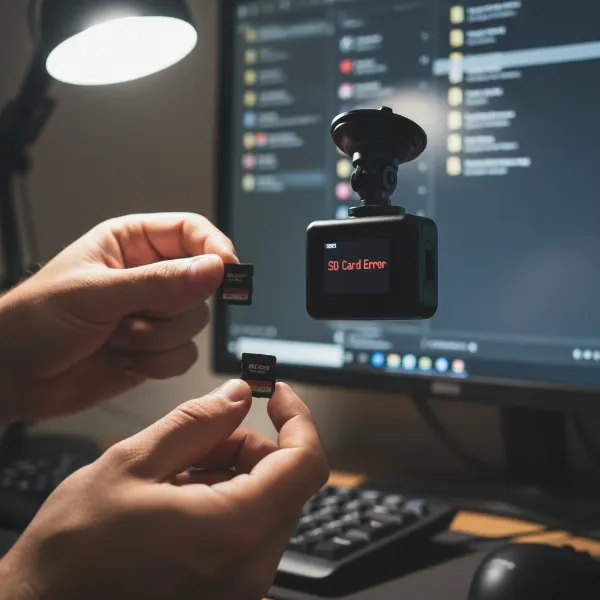
In an increasingly busy world, our roads are host to countless moments, some mundane, others deeply impactful. Your dash cam, quietly mounted, acts as a silent, impartial witness, capturing these events as they unfold. But what happens when that lens records something as serious as a car accident? Many drivers install dash cams for personal protection, yet few know the precise steps to take when their device captures an accident involving others. Knowing how to react responsibly and effectively can make a significant difference, turning your footage into a crucial piece of evidence that aids justice and supports those in need. This comprehensive guide will empower you with clear, actionable steps, ensuring you’re prepared to leverage your dash cam’s capabilities ethically and legally when you witness an accident.
Understanding Your Role as a Witness
|
Our Picks for the Best Dash Cam in 2026
As an Amazon Associate I earn from qualifying purchases.
|
||
| Num | Product | Action |
|---|---|---|
| 1 | VIOFO A229 Plus Dash Cam Front and Rear, Dual STARVIS 2 Sensors, 2 Channel HDR, 1440P+1440P Voice Control Car Dash Camera, 5GHz Wi-Fi, Voice Control, Ultra-Precise GPS |

|
| 2 | 4K Dash Cam Front, Built-in 5G WiFi, 64GB Card Included, Dash Camera for Cars, Mini Dashcam with Super Night Vision, Loop Recording, G-Sensor, 24 Hours Parking Monitor, Support 256GB Max |
|
| 3 | Dash Cam Front and Rear, 2.5K Dual Dash Camera for Cars, 2560P Mini Car Camera, 2 inch IPS Screen, 32GB Card Included, WDR Night Vision, 24 Hours Parking Monitor, G-Sensor, Support 256 GB Max |
|
| 4 | Garmin Dash Cam™ Mini 3, Ultracompact 1080p HD Dash Cam with a 140-degree Field of View, Built in Clarity™ Polarizer, Voice Controlled, Automatic Recording |
|
| 5 | 4K+4K Dash Cam Front and Rear, Free 128GB Card Included, 5.8GHz WiFi Dash Camera for Cars, Built-in GPS, G-Sensor, 170°Wide Angle, 3" IPS Screen, 24H Parking Mode, Support 512GB Max |
|
| 6 | WOLFBOX G840S 12" 4K Mirror Dash Cam Backup Camera, 5.8GHz WiFi Smart Rearview Mirror for Cars & Trucks, Front and Rear View Dual Cameras, Night Vision, Parking Assistance, Included 32GB Card & GPS |
|
| 7 | Dual 4K Dash Cam Front and Rear - Free 64G SD Card, 2160P+2160P UHD Dash Camera for Cars, Dashcam with 176°+160° Wide Angle, 3.5'' IPS Screen Dashcam, G-Sensor, WDR, Night Vision, 24H Parking Monitor |
|
| 8 | Dash Cam Front and Rear, 1080P Dash Camera for Cars, 3 Channel Car Camera Front Rear and Inside with 32GB Card, Loop Recording, Night Vision, HDR, 24Hr Parking, G-Sensor |
|
| 9 | REDTIGER 4K Dash Cam Front Rear, STARVIS 2 Sensor, Free Card Included, 5.8GHz WiFi-20MB/s Fast Download, Dash Camera for Cars with GPS, WDR Night Vision, 170°Wide Angle, 24H Parking Mode(F7NP) |
|
| 10 | ROVE R2-4K DUAL Dash Cam Front and Rear, STARVIS 2 Sensor, FREE 128GB Card Included, 5G WiFi - up to 20MB/s Fastest Download Speed with App, 4K 2160P/FHD Dash Camera for Cars, 3" IPS, 24H Parking Mode |
|
When an accident occurs, emotions run high, and recollections can be hazy or conflicting. This is where your dash cam footage becomes invaluable. Unlike human memory, a dash cam provides an objective, time-stamped visual record of events, free from bias or distortion. This unvarnished truth can be critical for accident reconstruction, swiftly clarifying who was at fault, and supporting insurance claims or legal proceedings. Your role as a witness, backed by irrefutable video evidence, can be pivotal in ensuring justice prevails and that innocent parties are protected.
While there’s an ethical imperative to help when you witness a collision, your safety, and the safety of others, must always be your top priority. Your dash cam equips you with a powerful tool, but understanding when and how to deploy its evidence responsibly is key to being an effective and helpful witness without inadvertently exposing yourself to risk.
Immediate Steps at the Accident Scene
The moments immediately following a car accident are often chaotic. Remaining calm and acting strategically are essential, especially when you have dash cam footage. Your first actions can significantly impact the situation and the value of your recorded evidence.
First and foremost, prioritize safety. If you witness an accident, safely pull your vehicle over to a secure location, away from traffic, and activate your hazard lights. Never stop in a place that puts you or others in further danger, such as a busy freeway lane or blind curve. Once you’re safe, take a moment to assess the situation. Look for injuries among the involved parties. If anyone appears hurt, or if the accident is severe, immediately dial 911 (or your local emergency services number). For minor incidents with no apparent injuries, contacting the non-emergency police line might be appropriate.
After ensuring safety and alerting emergency services if needed, you can offer assistance to the involved parties, but always approach cautiously. Your presence and willingness to help can provide much-needed support in a stressful situation. Remember, your primary goal is to be a helpful witness, not to intervene directly in the immediate aftermath of the crash itself.
Securing and Preserving Your Dash Cam Footage
The footage recorded by your dash cam is perishable evidence, especially with loop recording functions common in most devices. Therefore, immediately securing and preserving it is paramount to its usefulness.
The very first action you should take is to lock the file. Most dash cams feature a dedicated button that, when pressed, marks the current recording (and often a short period before and after) as an “event file,” preventing it from being overwritten by continuous loop recording. Consult your dash cam’s manual to understand this crucial function. Once safe, remove the SD card from your dash cam and store it in a secure place, such as your wallet or glove compartment. This physical removal guarantees that no further recording can accidentally overwrite the critical moments you just captured.
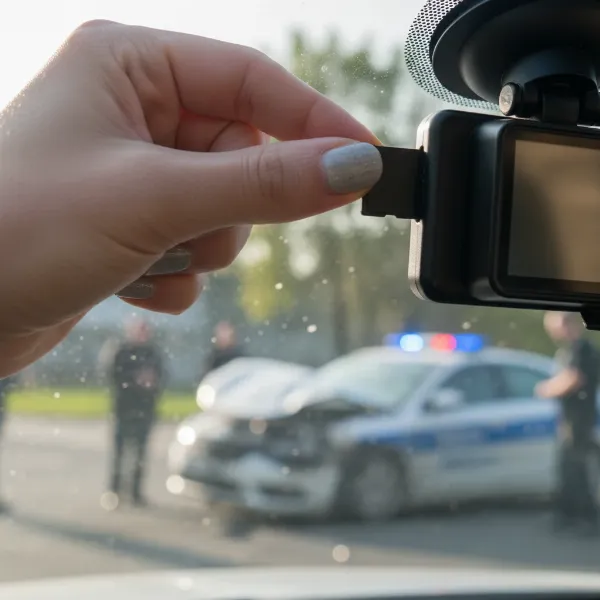 Driver carefully removing and securing a dash cam's SD card after witnessing an accident to preserve critical evidence.
As soon as you can, back up the footage by transferring it from the SD card to a computer or a secure cloud storage service like Google Drive or Dropbox. Creating multiple copies provides redundancy and protects against data loss. When transferring, ensure that all associated metadata—such as timestamps, GPS coordinates, and speed logs—are preserved with the video. This information significantly strengthens the footage’s authenticity and evidential value. Crucially, do not edit or alter the footage in any way. Any modification, no matter how minor, can compromise its admissibility as evidence in legal proceedings. The goal is to provide an unadulterated, objective record.
Interacting with Involved Parties and Authorities
Once the immediate scene is safe and your footage is secure, you’ll likely interact with those directly involved and law enforcement. How you conduct these interactions can greatly impact how your evidence is received and utilized.
Begin by offering your contact information to the involved drivers. This allows them, or their insurance companies, to reach out to you later. Clearly state that you witnessed the accident and may have valuable dash cam footage. When police officers arrive at the scene, inform them immediately that you have dash cam footage. They may ask to view it on the spot, either on your device or by recording your screen with their bodycam or phone. Be cooperative, but remember to provide copies, not your original device or memory card. Offering a physical copy on a USB drive or sending a digital link is preferable.
It’s vital to maintain neutrality. As a witness, your role is to provide facts, not to assign blame or make assumptions about who was at fault. Simply state what you saw and what your dash cam recorded. Avoid engaging in speculative conversations or taking sides, as this can undermine the credibility of your objective evidence.
Legal Considerations and Your Rights
Understanding the legal aspects of dash cam footage is important for any witness. Your dash cam provides powerful evidence, but there are nuances regarding its use and your rights.
Generally, dash cam footage recorded in a public place is admissible in court, provided it is relevant to the case and can be authenticated. Authentication involves proving that the footage is genuinely from your camera and was recorded at the time of the incident, often confirmed by metadata like date, time, and GPS stamps. However, it’s also crucial to understand that your footage can be used against you. Any statements or actions captured on your camera, including your own words, could potentially become evidence. You retain your right to remain silent if questioned by authorities.
Regarding police access, while officers may request your footage, they typically need your consent or a legal warrant to seize your dash cam or its memory card, as these are considered your personal property. In complex situations involving serious injuries, fatalities, or legal disputes, it is always wise to consult an attorney. A lawyer can advise you on your rights and the best way to present your footage while protecting your interests. They can also ensure that the evidence is handled correctly to maintain its legal integrity.
The Broader Impact of Dash Cams
Beyond individual accidents, dash cams play a significant role in fostering safer roads for everyone. These devices serve as a constant deterrent against reckless driving, knowing that actions on the road might be recorded. They provide irrefutable evidence in disputed claims, protecting innocent drivers from false accusations and reducing instances of insurance fraud.
Dash cams also assist law enforcement in their investigations, offering crucial context and clarity that might otherwise be unavailable. From hit-and-run incidents where identifying the fleeing vehicle is paramount, to complex multi-car pile-ups, the objective eye of a dash cam can expedite justice and ensure accurate reporting. As more drivers embrace this technology, the collective impact on road safety and accountability continues to grow, making our daily commutes a little more secure for all.
Conclusion
Your dash cam is far more than a simple recording device; it’s a powerful tool for promoting safety and ensuring justice on our roads. When you witness an accident, knowing the proper steps—from prioritizing safety and preserving footage to interacting effectively with authorities—is crucial. By acting responsibly and providing your invaluable dash cam evidence, you contribute significantly to the resolution of incidents and the overall well-being of your community. Be prepared, drive safely, and let your dash cam be the silent guardian our roads need. How will your dash cam help make roads safer for everyone?
Frequently Asked Questions
Should I stop if I see an accident on my dash cam?
Yes, if it is safe to do so, you should stop to offer assistance and your dash cam footage. If stopping would endanger you or others (e.g., on a busy highway), you should call the non-emergency police line to report what you saw and offer your contact information and footage.
Can my dash cam footage be used in court?
Yes, in most jurisdictions, dash cam footage is admissible in court. Key requirements include that the footage was recorded in a public place, is relevant to the case, and can be authenticated as genuine and unaltered. Metadata like date, time, and GPS location help establish authenticity.
What if the accident wasn’t severe?
Even in minor accidents, your dash cam footage can provide crucial objective evidence that prevents disputes over fault. While the urgency may be lower than a severe crash, it’s still beneficial to offer your assistance and footage to the involved parties and police, prioritizing your safety first.
Is it okay to share the footage online?
It is generally advisable to exercise extreme caution when sharing Dash Cam footage of accidents online due to privacy concerns for the individuals involved and potential legal implications. It’s best to share footage only with directly involved parties, law enforcement, or your legal counsel.